
Query reuse
Optionally rerun or adapt successful retrieval scripts against configured sources, rather than generate each query from scratch.
Tako AI for Okta
v3.2 Beta releaseAsk about users, groups, applications, policies, and devices in plain English. Review the results, ask a follow-up, and export what you need. A self-hosted assistant built for Okta identity teams.
 Slack
Slack Microsoft Teams
Find the SAML certificate expiry date for all active SAML applications.
AI Summary
Four active SAML applications.
Two expire within 90 days.
| Application | Certificate expires |
|---|---|
| Atlas CRM | 2026-10-18 |
| Beacon Analytics | 2026-11-30 |
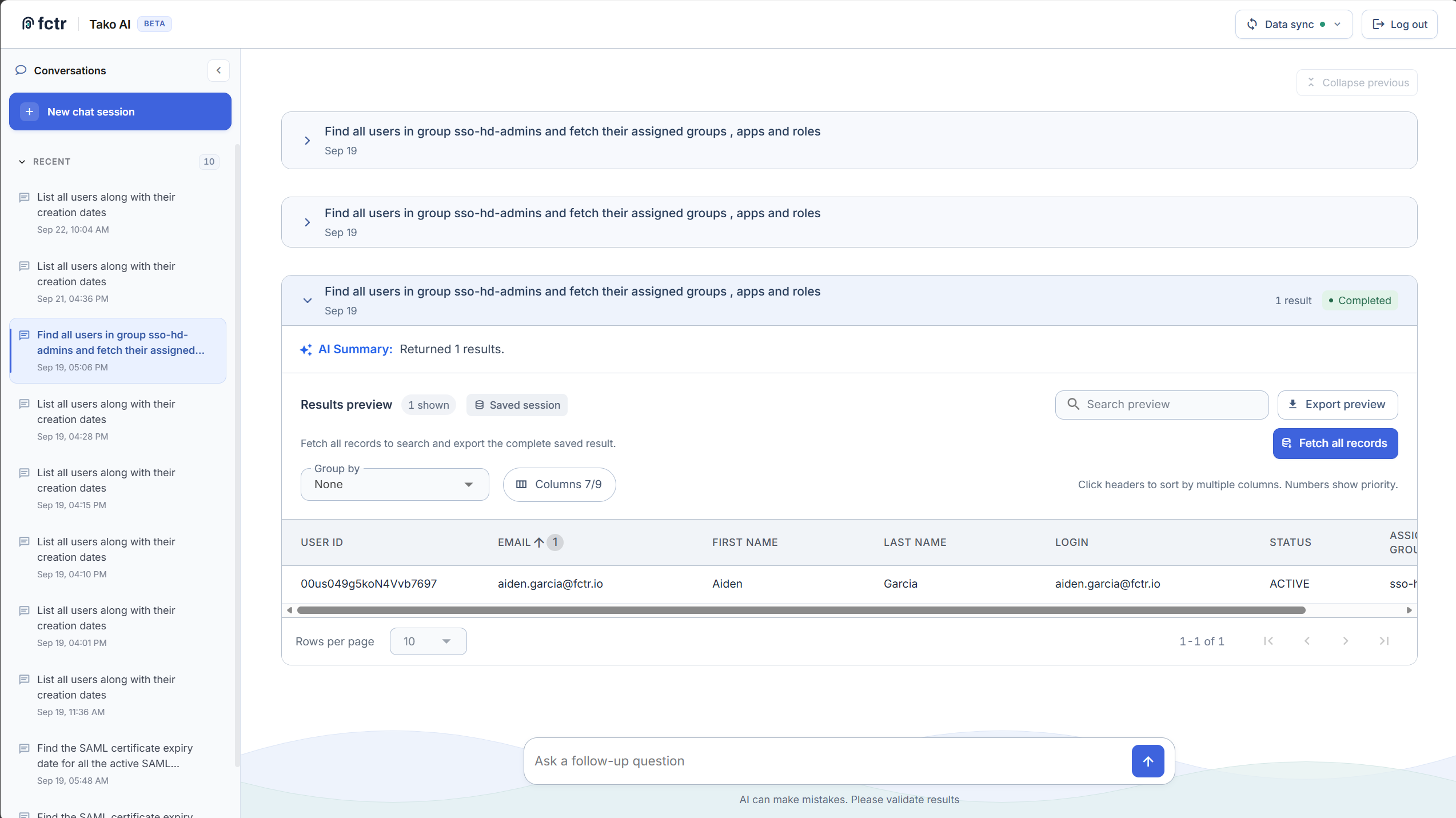
Move from a question to a useful result, without piecing together API calls and spreadsheets.
Optionally rerun or adapt successful retrieval scripts against configured sources, rather than generate each query from scratch.
Okta-specific context and guidance across 107 read-only API endpoints help turn a question into a retrieval plan.
Follow up on an answer, narrow the question, and return to saved conversations in the web interface.
Retrieval progress makes the work visible. AI Summary helps explain the results once they arrive.
Tako handles large results without sending every record to the model. Choose columns, sort, group, and export CSV or generated Python for further analysis.
Use the web, automate queries and syncs with the CLI, or add optional Slack and Teams conversations with follow-ups and CSV downloads. Configured restrictions control bot access.
Tako selects a source to suit the question. You can also ask it to use the live Okta API when you need a current lookup.
Describe the Okta question in your own words.
Tako plans and checks retrieval from your configured sources.
Ask a follow-up, review the answer, and export the results.
List active users in Engineering with no MFA enrolled.
Show the roles for those users.
Results come from your configured Okta permissions and data sources.
Run Tako in Docker on AMD64 or ARM64. Synced data, saved conversations, and logs live on your infrastructure. Configure the AI provider and channels your team needs.
OpenAI, Anthropic, Google AI Studio or Vertex AI, Azure OpenAI, AWS Bedrock, and OpenAI-compatible endpoints, including local models through Ollama.
External AI providers can receive query and identity context. A compatible local model keeps inference on your infrastructure; Tako still needs connectivity to Okta. Optional Slack and Teams workflows also process data through those services.
Compare provider optionsQuery users, groups, applications, policies, devices, and authenticators through Okta’s read-only API endpoints. Connect with OAuth 2.0 or an API token; your configured roles and scopes control access.
Generated Python is parsed and checked before execution. Import allowlists, restricted calls, and blocked patterns constrain retrieval code. Result analysis uses allowed built-ins and methods, with runtime limits on retrieval scripts.
Explore results with column selection, multi-column sorting, and grouping. Export loaded rows and columns as CSV, or fetch all records to export the complete saved result.
Start with the repository, then configure Tako for your Okta environment.