
ClickFix and fake IT support: before you run the fix.
Employees should not have to inspect a script to decide whether the person asking them to run it is really IT.
An employee should not have to understand PowerShell to decide whether a caller is really IT.
Yet an unexpected support request can put them in exactly that position. Someone offers to fix a problem, provides instructions, and expects them to act. The employee wants to get back to work. The attacker wants a command to run.
That is the part of ClickFix I would bring into a support-policy discussion: before asking employees to judge the fix, give them a reliable way to verify the person offering it.
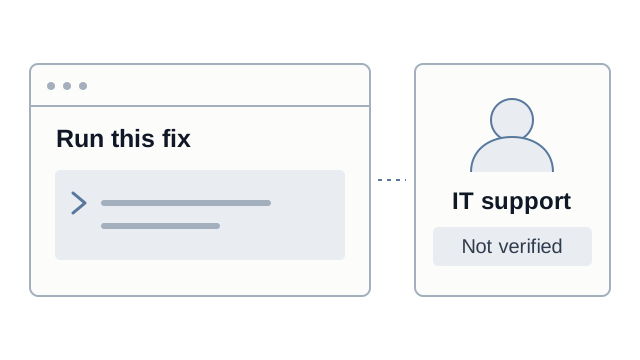
What is ClickFix?
ClickFix is a social-engineering technique that tricks people into running malicious commands themselves. The instruction is presented as a fix, an update, or a verification step rather than an obvious software download.
Microsoft's analysis describes a common sequence: a deceptive page presents a problem, copies a command to the clipboard, and instructs the visitor to paste and run it. What looks like a routine step can deliver information-stealing malware or remote-access tooling. Both Windows and macOS users have been targeted.
For webpage lures, the warning is straightforward: a CAPTCHA does not require you to run a command on your computer. New Zealand's Own Your Online service makes the same point in its ClickFix alert.
When the instructions come from fake IT support
ClickFix often arrives through a webpage, but attackers can also give the instructions directly. Group-IB describes attackers posing as internal IT or vendor support, contacting employees by email, chat, or phone, and guiding them through the process as troubleshooting.
That changes the employee's decision. They are no longer just judging a page. They are dealing with a person who appears to know what is wrong and how to fix it.
As we discussed in our Microsoft Teams support impersonation article, a familiar work channel does not establish that the caller is your IT team. Neither does knowing an employee's name or sounding comfortable with technical instructions.
The missing step is verification before the employee acts.
Make checking IT part of the support process
Awareness should give employees more than a reason to hesitate. It should give them something practical to do:
- Pause before acting. Do not paste commands, install a tool, or grant remote access because the caller says it is urgent.
- Check through a known company channel. Open the established support or verification app yourself, or contact the helpdesk using its published internal details. Do not use the caller's link or callback number as your only check.
- Confirm the work is approved. Verify the caller, then follow the organization's approved procedure for scripts, software, or remote access. Identity verification is not blanket permission to run anything.
Support teams need to follow the same rule. If genuine agents routinely send surprise commands and expect immediate compliance, employees are being taught the behavior an attacker wants.
Application control and endpoint detection should support that process. If a suspicious command has already run, contact security through a trusted channel and follow the incident-response process.
Give employees a way to verify IT with Fctr
We built Fctr's two-way caller verification so checking a support caller does not depend on how convincing they sound. Helpdesks can verify employees, and employees can verify someone claiming to be IT before following sensitive instructions.
For an IT support call, the caller starts a request in Fctr Portal under the organization's verification policy. The employee independently opens Fctr Verify in Teams or Outlook, reviews the caller and reason, and confirms the phrase spoken by the caller. They wait for verification to complete before continuing. If the caller cannot be verified, they end the call and contact support through an established channel.
The employee has a company-controlled way to check the person asking them to act, without relying on a link supplied by that person. Fctr addresses that identity check; endpoint controls remain responsible for detecting or blocking malicious execution.
For teams reviewing ClickFix and IT impersonation, this is the question I would ask: can your employees verify IT as readily as your helpdesk verifies them?
Talk to the Fctr team to see how employees can verify an IT caller in Teams or Outlook before running a fix, installing software, or granting remote access. We are happy to walk through the workflow with your team.
Sources
- Microsoft Threat Intelligence and Microsoft Defender Experts: Think before you Click(Fix): Analyzing the ClickFix social engineering technique
- Group-IB: ClickFix: The Social Engineering Technique Hackers Use to Manipulate Victims
- Own Your Online: Social engineering scam ClickFix using websites to spread malware