
IT caller verification: a takeaway from Okta Threat Intelligence.
A request to fix a security key can become a request to use weaker authentication. Verify the IT caller before following their instructions.
An employee has a security key. Someone claiming to be IT says it needs fixing and asks them to use a code instead.
That is exactly the kind of support interaction I want organizations to examine. The employee is trying to cooperate with IT. Before changing how they sign in, they need a reliable way to check who is giving the instructions.
Okta's October 6 research explains how attackers persuade users to choose weaker authentication. Alongside enforcing phishing resistance, Okta recommends establishing a way for employees to verify helpdesk personnel when they contact them. That is a practical problem we built Fctr Verify to address.
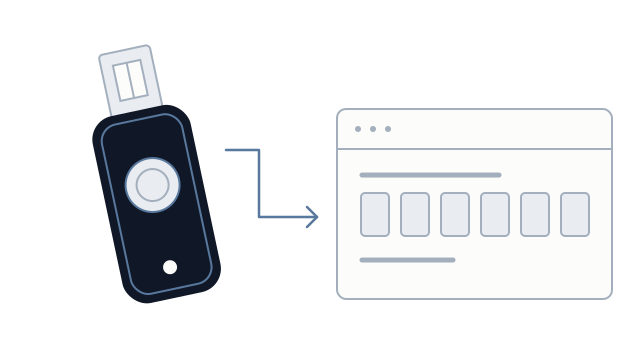
What is an MFA downgrade attack?
An MFA downgrade happens when an attacker steers someone away from a phishing-resistant method toward one they can capture or abuse, such as a one-time code.
Okta observed a phishing kit, starting in August 2026, that claimed a user's YubiKey might need re-registration. The kit collected credentials and a one-time passcode so the attacker could sign in before the code expired. Okta reports that attackers then maintained access by enrolling their own devices or tokens and deactivating existing MFA enrollments.
The security key's cryptography was not broken. The attack persuaded the user to take a different route. That distinction matters when deciding what to change in your support process.
Enforce strong authentication in policy
Keep phishing-resistant methods enforced for the applications and account changes that require them. Okta's app sign-in guidance explains how to configure that requirement. Its account management guidance also describes requiring phishing-resistant authentication when enrolling or removing authenticators.
Ask your identity team to check which methods a user can actually choose in those flows. A successful rollout should be assessed against what policy permits, as well as what employees have enrolled.
When a genuine key fails or a device is lost, the employee should follow an established recovery process. An unexpected caller should not be able to invent an exception during the conversation.
Give employees a known way to verify IT
What I want an employee to have at that moment is simple: a company app they can open themselves to check the caller.
With Fctr's two-way caller verification, employees independently open Fctr Verify in Teams or Outlook, review the caller and request, and complete the verification workflow through their organization's app. The support caller must meet the organization's configured verification policy.
Employees wait for Verification complete before following sensitive instructions. If the caller cannot be verified, they end the call and contact support through an established channel. They do not have to rely on the caller's voice, a supplied link, or a familiar-looking sign-in page.
As our device-code vishing article explains, even a real sign-in page does not establish that the caller's instructions are legitimate.
Fctr gives the employee a concrete way to check the person behind the request. The identity provider's authentication policy still controls which sign-in methods are accepted. Verification does not make an otherwise prohibited authentication change acceptable.
Make verification part of real support calls
Genuine IT staff should use the same verification process employees are expected to follow during a suspicious call. Otherwise, an urgent troubleshooting request can sound like an exception to the rule.
Review how your team handles security-key problems, factor changes, and recovery. Employees should know where to verify the caller and where to escalate when verification fails. Keep monitoring for unexpected sign-ins and authenticator changes alongside that process.
We built Fctr so organizations can use supported factors they already manage to verify people during sensitive support interactions. Helpdesks can verify employees, and employees can verify someone claiming to be IT.
Talk to the Fctr team to see how caller verification fits into your Okta or Microsoft Entra ID support workflow before employees follow instructions to change authentication methods.