
How to verify caller identity at the help desk.
Verify callers with enrolled factors before password resets and account unlocks, and keep the check and recovery action in one audit trail.
When an employee calls the IT help desk for a password reset, account unlock, or MFA recovery, the agent has seconds to answer one question: is the caller really who they claim to be?
A convincing caller can talk a busy agent past a weak verbal check. Give agents a stronger way to verify who's calling before they reset a password or unlock an account.
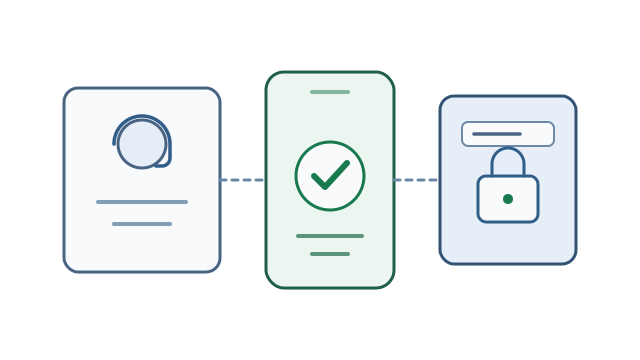
Why security questions, caller ID, and callbacks fall short
Here is where common help desk checks fall short:
- Knowledge-based questions: Employee IDs, manager names, birthdates, and addresses are widely available from data breaches, public profiles, and internal directories. NIST's digital identity guidance explicitly advises against using knowledge-based authentication for identity verification. See our security questions analysis for the full breakdown.
- Caller ID and familiar voices: Phone numbers are trivial to spoof, and AI voice cloning has eroded voice recognition. In its September 2026 survey release, Gartner reported that 41% of surveyed CISOs experienced a deepfake social engineering incident on an employee audio call in the prior 12 months.
- Ad-hoc callbacks: Don't call back a number supplied by the caller. A callback to a trusted directory number is a useful fallback, but it isn't a substitute for stronger evidence when your recovery policy requires it.
Effective caller authentication shifts the question from "Does the caller know facts about this employee?" to "Can the caller prove control of a verification method the organization already trusts?"
A practical four-step help desk verification workflow
A reliable IT help desk verification process connects the directory record, the verification check, the permitted action, and the audit trail:
- Look up the employee in the authoritative directory. Start from live Microsoft Entra ID or Okta user context—account status, group membership, and registered devices—while keeping unnecessary personal contact details masked from frontline agents.
- Verify with a method the employee has already enrolled. Use supported factors the organization already manages, such as authenticator push, passkeys, TOTP, or Cisco Duo MFA for Entra ID. Do not let the caller dictate a brand-new phone number or email address as the proof destination.
- Evaluate role, target, and policy separately from identity. Verification gives the agent evidence of who's calling; it does not authorize the change by itself. Check whether the agent's role permits the requested reset, unlock, or session revocation—and keep privileged or sensitive accounts excluded from frontline reset workflows.
- Record the verification and action together. Keep who initiated the request, which method verified the caller, which policy-approved action ran, and the final outcome connected in one searchable audit record.
For a closer look at how verification gates recovery actions, see our account unlock verification workflow.
Handling lost phones, lockouts, and high-risk exceptions
Every service desk eventually faces a caller who cannot complete their primary authenticator check—a lost phone, a damaged laptop, or a new starter who has not finished enrollment. That exception path is exactly where attackers focus.
Build explicit fallback rules into your policy rather than letting agents improvise under pressure:
- Try another enrolled method first. If the employee has a secondary supported factor already registered in Entra ID or Okta, verify with that method before escalating.
- Use higher-assurance step-up where configured. For recovery scenarios that require stronger proofing, supported workflows can use Microsoft Entra Verified ID with Face Check where configured.
- Treat manager verification accurately. Where configured, manager verification confirms the manager's identity—not the employee's. Your written recovery policy should define how the manager confirms the employee and when the help desk may issue a Temporary Access Pass (TAP) or Temporary Access Code (TAC).
- Never fall back to personal trivia. If no approved verification path can complete, pause the reset and route the ticket through your documented identity recovery procedure.
Verify both directions: help desk and IT callers
Inbound employee calls are only half of the exposure. Attackers also impersonate internal IT support over phone and Microsoft Teams to push remote-access tools, malicious scripts, or MFA downgrades.
A complete workforce identity verification program covers both sides of the call:
- Employee calling the help desk: Agents verify the employee in Fctr Portal—or from supported ticketing integrations such as ServiceNow, Zendesk, and Freshdesk—before taking approved recovery actions.
- IT calling an employee: The IT caller initiates a request in Fctr Portal under organizational policy, and the employee independently opens Fctr Verify in Teams or Outlook to check the caller before sharing a screen or following instructions.
What to look for in a help desk verification tool
When evaluating a verification tool for your IT help desk, check five things:
- Existing authenticators first: Does it work with the Entra ID, Okta, or Duo factors your workforce already uses, without forcing a separate rollout just to get started?
- No shadow directory: Does it pull live identity context on demand with agent-facing personal PII masked?
- Verification tied to governed actions: Does verification actually gate password resets, unlocks, and TAP/TAC issuance inside a least-privilege workspace, instead of living in a disconnected browser tab?
- Privileged-account exclusions: Can you exclude sensitive roles and admin groups so frontline agents cannot select them for recovery?
- Connected audit evidence: Can security and compliance reviewers see the caller verification and the resulting action in one record?
Fctr Portal brings live directory context, enrolled-factor caller verification, policy-governed recovery actions, and masked audit history into one workspace built for IT help desks. Request a live demo to walk through your password-reset, unlock, and recovery scenarios—or run our three-step IT caller verification test with your team.
Sources
- NIST: SP 800-63A: Identity Verification
- NIST: Digital Identity Guidelines FAQ: Knowledge-Based Authentication
- Gartner: Gartner Survey Finds 41% of CISOs Reported at Least One Social Engineering Incident Involving a Deepfake in the Past 12 Months
- Microsoft Learn: Least privileged roles by task
- Okta: Help desk administrators