
The Vishing Timeline: social engineering and impersonation.
The actors keep rebranding and the pretexts keep multiplying. The gap they exploit stays the same: unverified workplace calls.
Every few weeks, a new cluster name, leak site, or social-engineering pretext hits the headlines. Read them side by side and they stop looking like separate stories.
Enterprises spent a decade locking down the login screen with SSO, MFA, and passkeys. Attackers adapted by moving to the place where identity still runs on trust: live phone calls, Microsoft Teams chats, and urgent workplace requests.
The Vishing Timeline tracks major primary advisories in one place so security, IAM, and IT leaders can see the pattern clearly—and close the underlying verification gap once instead of reacting to each campaign one by one.
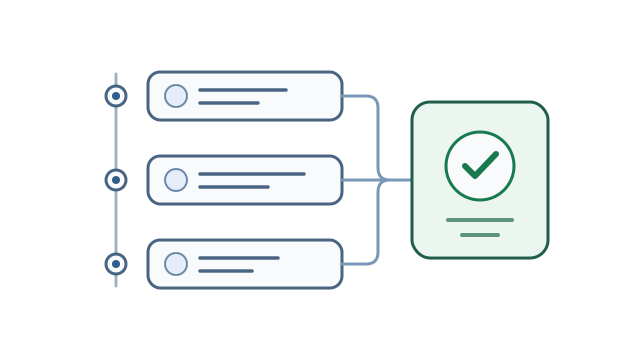
One gap, three workplace entry points
Across the reporting below, impersonation calls cluster into three repeatable moments:
- Someone calls the help desk posing as an employee: Asking for a password reset, account unlock, or MFA recovery while talking past security questions or caller ID. Control: Fctr Portal verifies the employee with supported enrolled factors before policy-governed recovery actions become available.
- Someone calls an employee posing as IT support: Pressuring staff to open a lookalike reset page, approve an MFA downgrade, paste a troubleshooting command, or grant remote access in Teams or Zoom. Control: Fctr Verify lets employees independently check the IT caller in Teams or Outlook before acting.
- Someone calls finance, HR, or legal posing as an executive or colleague: Pushing an urgent wire transfer, payroll update, or confidential disclosure. Control: Where enabled, Fctr Verify lets colleagues verify each other using existing organization-managed factors before acting.
The Vishing Timeline
Dates refer to the original reporting or a labeled update, newest first.
| Date | Source | Pretext & tactic | Deep dive |
|---|---|---|---|
| Nov 23, 2026 | Okta Threat Intelligence | Cluster O-UNC-053 rebounds on the INCEPTION leak site, spinning up same-day legal-<target>.com domains during fake IT password-reset calls. |
Okta INCEPTION brief |
| Nov 20, 2026 | Palo Alto Networks Unit 42 | Fake IT callers targeting healthcare and life sciences direct employees to lookalike sign-in pages, register rogue MFA devices within minutes, and steal Microsoft 365 data. | Remote-access & sign-in brief |
| Nov 5, 2026 | U.S. Department of Justice | Prosecutors charge three individuals in an alleged $129M scheme where callers posed as executives and attorneys to persuade employees to authorize transfers. | Executive & attorney brief |
| Nov 5, 2026 | Microsoft Security | Q3 threat report highlights attackers using ordinary employee names—not obvious "IT Support" labels—in malicious Microsoft Teams calls. | Remote-access & sign-in brief |
| Nov 3, 2026 | eSentire | Impersonation vishing over Teams persuades employees to grant Zoom remote control, leading to cloud data exfiltration and extortion. | Remote-access & sign-in brief |
| Oct 28, 2026 | Canadian Cyber Centre (AL26-028) | Advisory warns legal and financial organizations of ongoing fake IT calls pushing urgent passkey migrations, MFA enrollments, or password changes. | Helpdesk vishing brief |
| Oct 26, 2026 | Arctic Wolf Labs | Accounts posing as IT added “(Internal)” to their Teams display names. Teams still marked the sender as external. | Teams vishing brief |
| Oct 6, 2026 | Okta Threat Intelligence | Phishing kit claims a user's YubiKey needs re-registration, steering employees into weaker one-time-code sign-ins; Okta recommends giving employees a way to verify IT callers. | Okta MFA downgrade brief |
| Sep 22, 2026 | Gartner | Survey of 297 CISOs finds 41% experienced a deepfake social engineering incident on an employee audio call—and 36% on a video call—in the prior 12 months. | Gartner deepfake analysis |
| Sep 9, 2026 | Microsoft Security Research | Passkey-themed vishing directs employees to real Microsoft device-code sign-in flows—proving that a legitimate login page does not verify the caller. | Device-code vishing brief |
| Aug 31 – Sep 2, 2026 | Unit 42 & Microsoft | Spring Ring external Teams callers pose as corporate help desks to gain Quick Assist or remote-support access and pivot toward domain controllers. | Teams vishing brief |
| Aug 17, 2026 (update) | Group-IB | Group-IB describes people posing as IT or vendor support by phone or chat and talking employees through a supposed fix. | ClickFix & fake IT guide |
| Aug 6, 2026 | Google Threat Intelligence / Mandiant | UNC6671 calls employees on personal phones with spoofed helpdesk caller IDs, using urgent MFA and passkey changes to hijack cloud access. | Helpdesk vishing brief |
| Aug 21, 2025 | Microsoft | Microsoft documents ClickFix campaigns targeting Windows and macOS users with prompts disguised as fixes or verification steps. | ClickFix & fake IT guide |
Why point fixes don't hold—and what does
Each new advisory usually triggers a narrow reaction: update an awareness slide, block a set of domains, or warn staff about one specific pretext. By the time the memo goes out, the caller has moved to a new domain pattern or a different story.
Closing the gap permanently takes two layers working together:
- Enforce strong authentication and access policy: Require phishing-resistant MFA (passkeys, Okta FastPass, managed devices), restrict external Teams access and remote-support tools, and keep least-privilege controls on recovery actions.
- Put independent caller verification into the conversation itself: Replace voice recognition, caller ID, and security questions with organization-managed verification on both sides of the call—so help desk agents verify employees before restoring access, and employees verify unexpected IT or colleague requests before clicking, sharing a screen, or moving funds.
Verification establishes who is participating in the interaction; your identity provider, access policies, and business approval rules still decide what happens next.
Start with the operational guides
If you are building or auditing your program right now, start with these three operational guides:
- What Is Workforce Identity Verification? — how ongoing interaction verification differs from day-one onboarding ID proofing.
- How to Verify Caller Identity at the Help Desk — replacing security questions and ad-hoc callbacks with enrolled-factor verification and governed recovery.
- A Practical Guide to IT Caller Verification — three controlled checks to test whether employees can actually verify an unexpected IT call under pressure.
Sources
- Okta Threat Intelligence: Former ShinyHunters-affiliated cluster O-UNC-053 moves to new INCEPTION leak site
- Palo Alto Networks Unit 42: Dialing for Data: Inside the Com’s High-Profile Heists
- U.S. Department of Justice: Three Foreign Nationals Arrested And Charged With Scheme To Use Super Intelligence To Defraud Companies Of $129 Million
- Microsoft Security: Email threat landscape: Q3 2026 trends and insights
- eSentire Threat Response Unit: Increase in Impersonation Vishing Attacks Leading to Data Extortion
- Canadian Centre for Cyber Security: AL26-028 – Ongoing Help Desk Voice Phishing Campaign Targeting Canadian Organizations
- Arctic Wolf Labs: Beyond the Inbox: How Threat Actors Abuse Microsoft Teams External Chat for Initial Access
- Okta Threat Intelligence: When enrollment isn't enough: How attackers trick users into MFA downgrades
- Gartner: Gartner Survey Finds 41% of CISOs Reported at Least One Social Engineering Incident Involving a Deepfake in the Past 12 Months
- Microsoft Security Research: Passkey-themed social engineering leads to identity and cloud compromise
- Microsoft Security Research: Impersonating IT support: how threat actors turn a remote session into enterprise-wide access
- Palo Alto Networks Unit 42: Spring Ring: An Inside Look at Voice Phishing Campaigns in Microsoft Teams
- Group-IB: ClickFix: The Social Engineering Technique Hackers Use to Manipulate Victims
- Google Threat Intelligence Group and Mandiant: UNC6671 Rebrands: Multi-Brand Vishing Extortion Targets Financial Services and Enterprise Cloud Environments
- Microsoft Threat Intelligence and Microsoft Defender Experts: Think before you Click(Fix): Analyzing the ClickFix social engineering technique