
What is workforce identity verification?
Onboarding establishes identity. Ongoing verification helps teams check who's asking before they act on a sensitive request.
Checking someone’s ID when they join tells you who you hired. It doesn’t tell your help desk who’s on the phone six months later asking for a password reset.
Workforce identity verification (IDV) means establishing or confirming the identity of employees, contractors, and others who work with your organization. It covers both initial identity proofing and checks during sensitive requests, such as a password reset, remote support session, or payroll change.
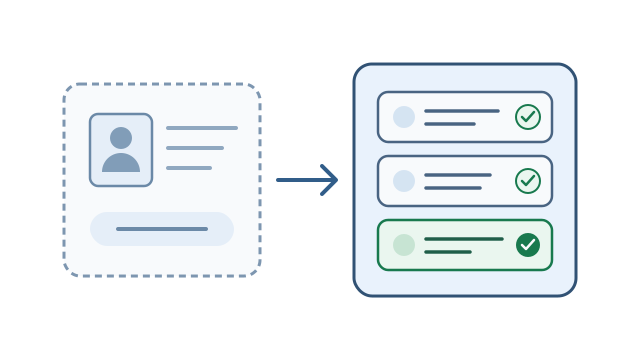
Onboarding ID proofing vs. ongoing workforce verification
Both workflows sit under the workforce identity verification umbrella, but they solve different operational problems:
- Onboarding and re-proofing (identity proofing): Verifies a new hire's real-world identity—often using government-issued ID documents, liveness checks, or verified credentials—before issuing corporate accounts and initial authenticators. It also applies during high-assurance account recovery when all enrolled authenticators are lost.
- Ongoing workforce identity verification (interaction verification): Confirms who is on a live phone call, chat, or ticket during day-to-day operations. Instead of asking every caller to scan a passport for a routine password reset or IT call, ongoing verification relies on supported factors the organization already manages in Microsoft Entra ID or Okta—stepping up to stronger methods such as Entra Verified ID with Face Check only where policy requires it.
Signing in with MFA and calling the help desk are separate interactions. Even if employees use passkeys to sign in, those passkeys don't tell an agent who's asking for a reset unless the agent can use a supported verification method during the request.
Three workplace moments where identity must be verified
Gartner's September 2026 survey found that 41% of surveyed CISOs reported a deepfake social engineering incident on an employee audio call in the previous 12 months. In practice, ongoing workforce IDV protects three recurring interactions:
- Employee calling the help desk: An employee requests a password reset, account unlock, session revocation, or Temporary Access Pass. The support agent needs verified proof of the caller before carrying out the recovery action. See our help desk caller verification guide.
- IT support calling an employee: Someone claiming to be internal IT calls over phone or Microsoft Teams asking the employee to install a tool, run a troubleshooting command, or grant remote access. The employee needs an independent, company-controlled way to verify the IT caller before acting.
- Colleague-to-colleague sensitive requests: Finance, HR, legal, and executive teams receive urgent requests to change direct-deposit details, update vendor banking information, or share confidential records. Where enabled, employees can request identity verification from the colleague before proceeding.
How ongoing workforce identity verification works with Entra ID and Okta
A practical workforce identity verification platform builds on your existing identity provider rather than creating a disconnected shadow directory:
- Use enrolled methods first: Routine verification uses supported authenticators already managed in Microsoft Entra ID or Okta—including authenticator push, passkeys, TOTP, SMS or email OTP where permitted by policy, and Cisco Duo MFA for Entra ID. Available methods depend on provider configuration, policy, and verification direction.
- Keep verification independent of the caller's channel: When an employee checks an unexpected IT caller, they open a trusted company app such as Microsoft Teams or Outlook independently—never a link supplied by the caller.
- Separate verification from authorization: Confirming who is on the call provides identity evidence for that specific request. It does not automatically grant access, approve a wire transfer, or authorize an administrative change; role controls, business approvals, and policy still apply.
- Keep evidence connected: Linking the verification outcome to the support request or recovery action gives security and audit teams clear visibility without storing unnecessary personal contact details.
Verification vs. deepfake detection
A common question is whether workforce identity verification analyzes audio or video to detect synthetic voices. It does not—and relying solely on detection puts organizations in an arms race against improving generative models.
Instead of guessing whether a voice sounds real, ask for evidence through a verification method the organization already manages. A familiar voice or a spoofed number isn't enough on its own. If the check doesn't complete, pause and follow your approved fallback before acting.
Bringing help desk and workplace verification into one platform
Point caller-verification plugins typically address only a single ticket screen. Fctr combines workforce identity verification across the interactions where impersonation actually happens:
- Fctr Portal: One governed workspace for IT help desks to inspect live Entra ID or Okta context, verify callers, execute role-permitted recovery actions, and retain connected audit records.
- Fctr Verify: Two-way verification in Microsoft Teams, Outlook, and supported support integrations—so employees can verify IT callers and, where enabled, colleagues behind sensitive HR, payroll, or finance requests.
- Fctr Mobile (private beta): Invitation-only phone-based verification for eligible people across an organization, using fresh biometric authentication or an organization-permitted device credential to approve requests.
Request a live demo to see how workforce identity verification fits your Entra ID or Okta environment—from frontline help desk calls to employee-facing verification in Teams and Outlook.
Sources
- Gartner: Gartner Survey Finds 41% of CISOs Reported at Least One Social Engineering Incident Involving a Deepfake in the Past 12 Months
- NIST: SP 800-63A: Identity Verification
- U.S. Department of Justice: Three Foreign Nationals Arrested and Charged in Scheme to Use AI to Defraud
- Canadian Centre for Cyber Security: Ongoing help desk voice phishing campaign targeting Canadian organizations (AL26-028)